01
Install CurseForge
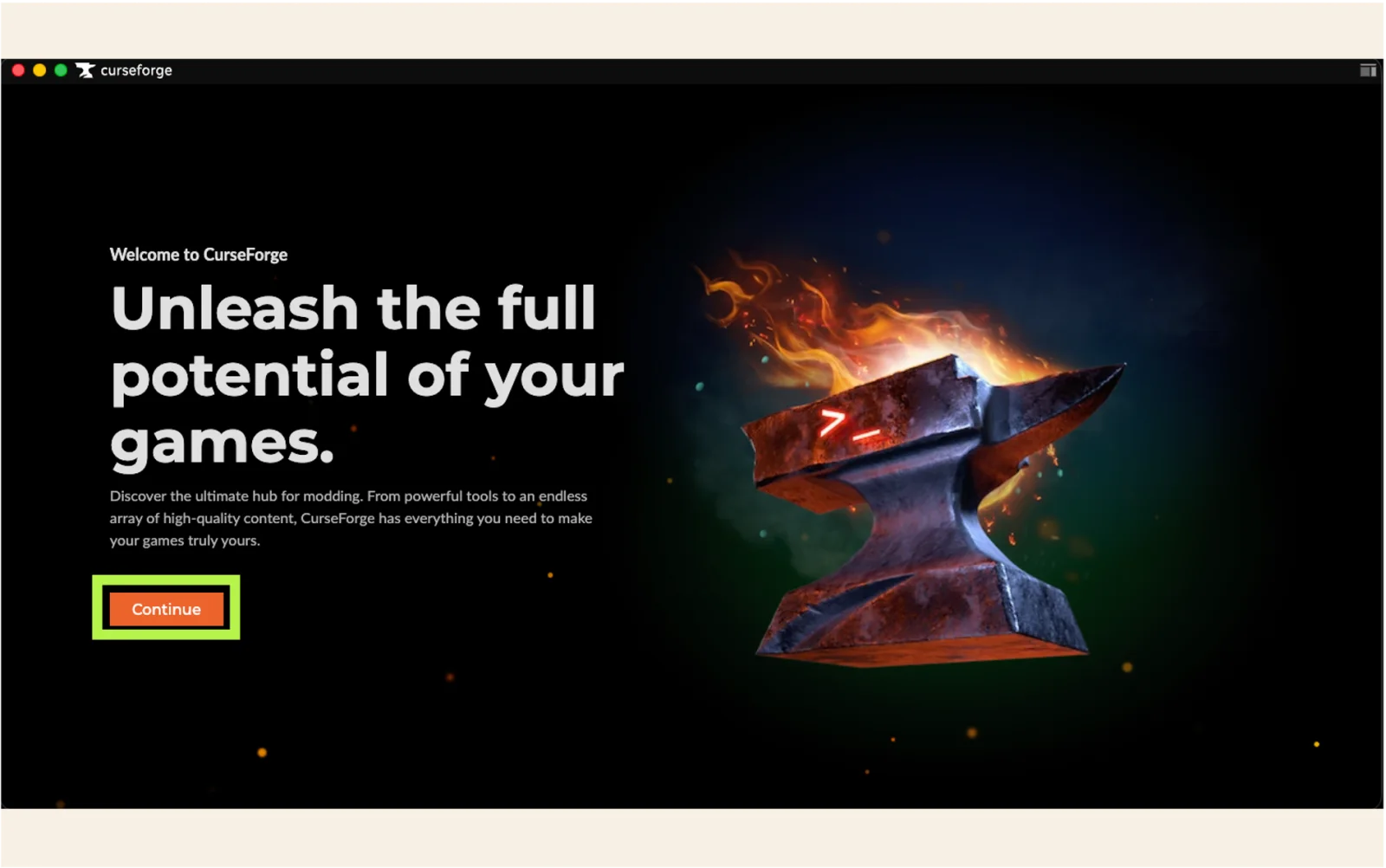
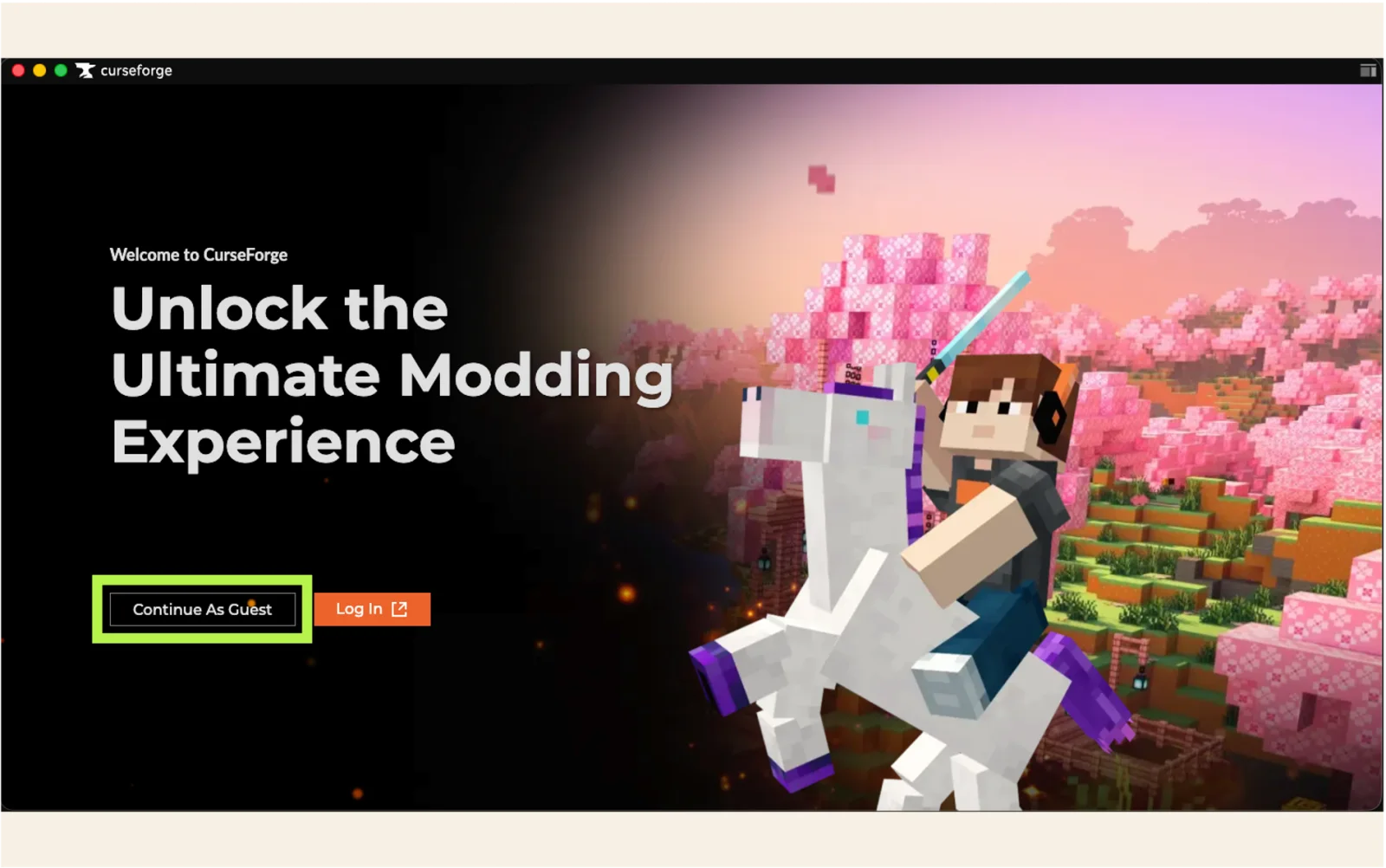
Download and install the CurseForge app. On Windows, the standalone installer is recommended. After opening the app, continue as a guest.
Open CurseForge download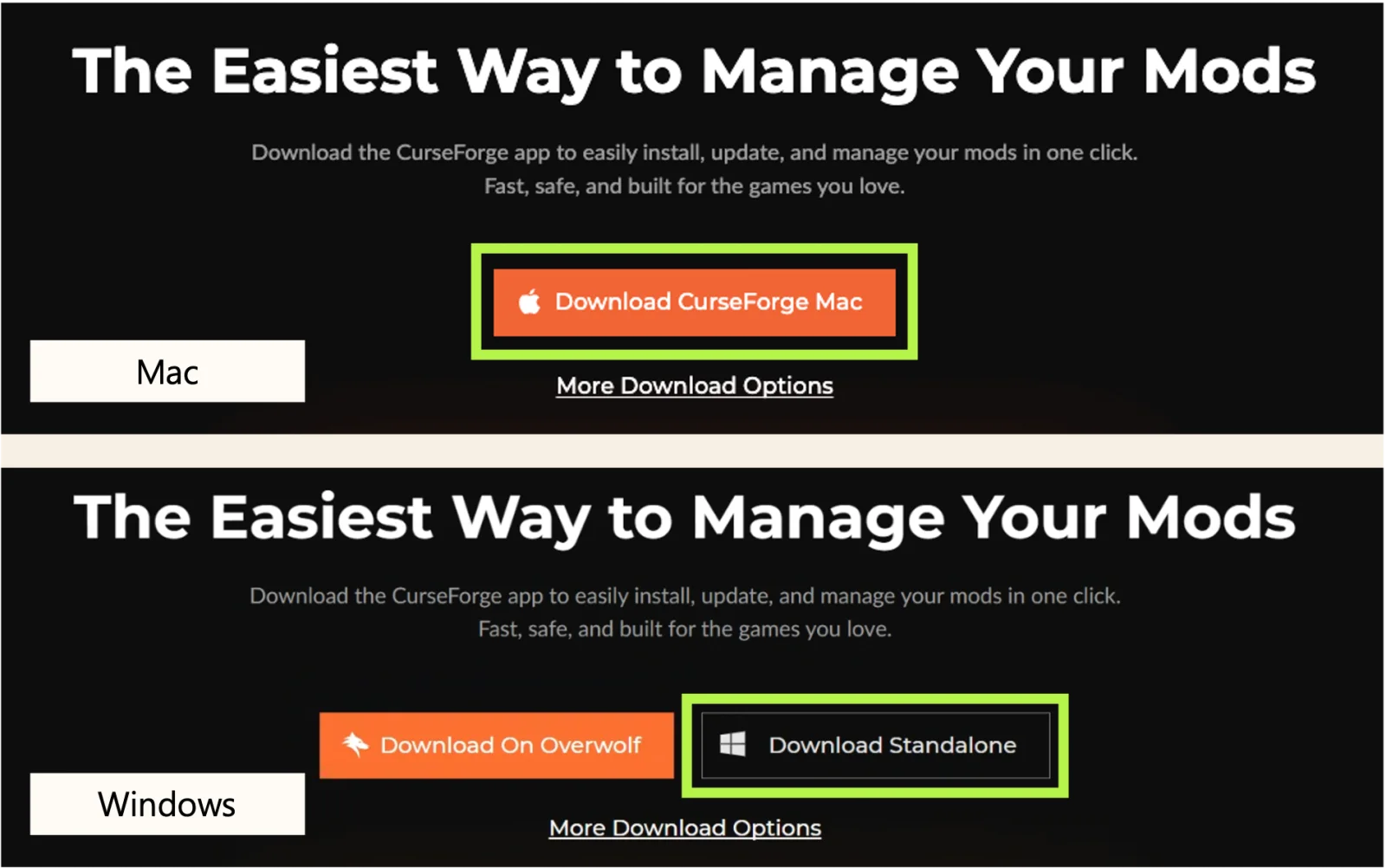
Player guide
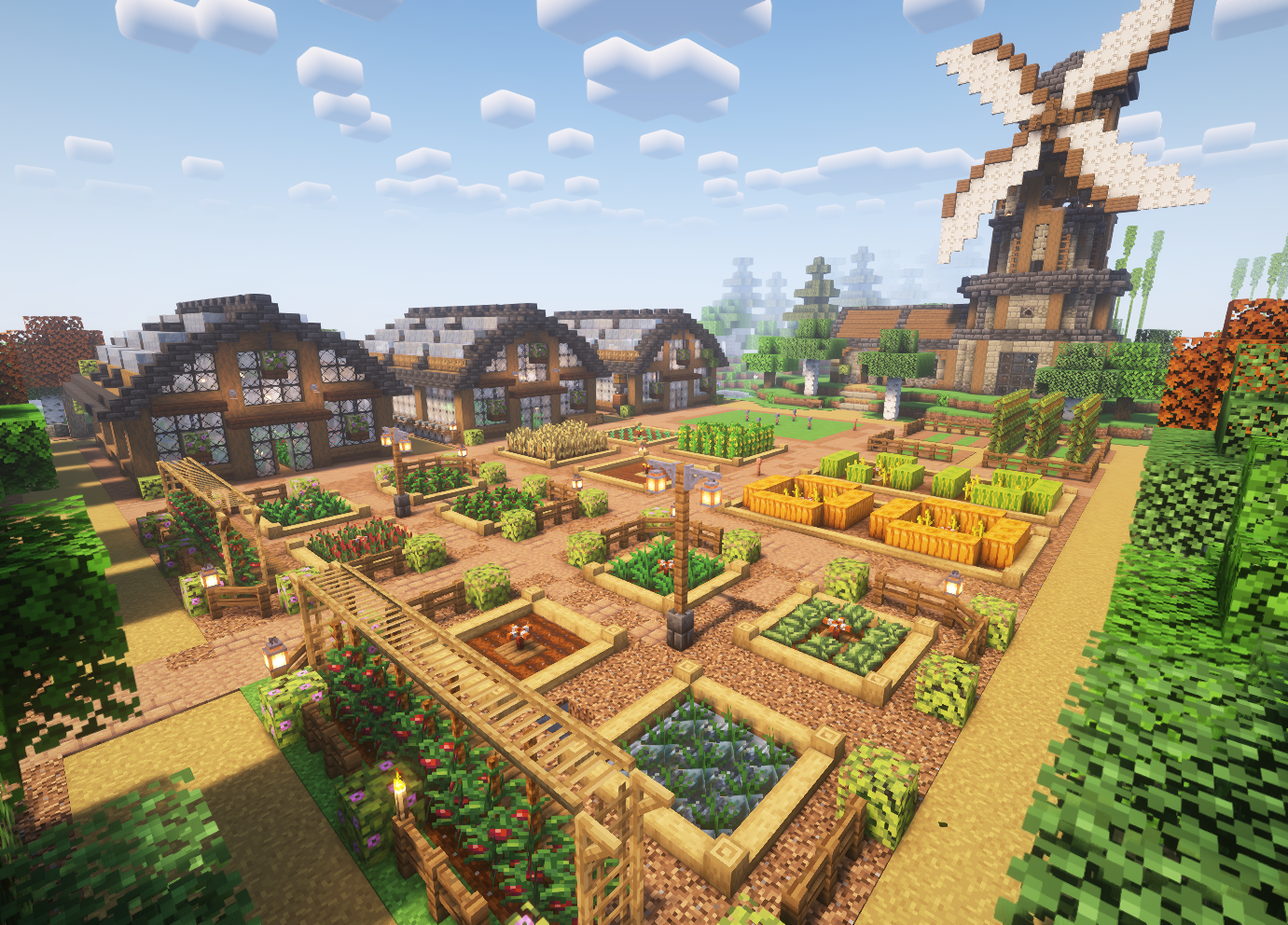
Install the matching modpack, assign enough memory, and then add the server address.

01
Follow the highlighted controls in each image. Use the arrows or dots to move through each step.
01
Download and install the CurseForge app. On Windows, the standalone installer is recommended. After opening the app, continue as a guest.
Open CurseForge download
02
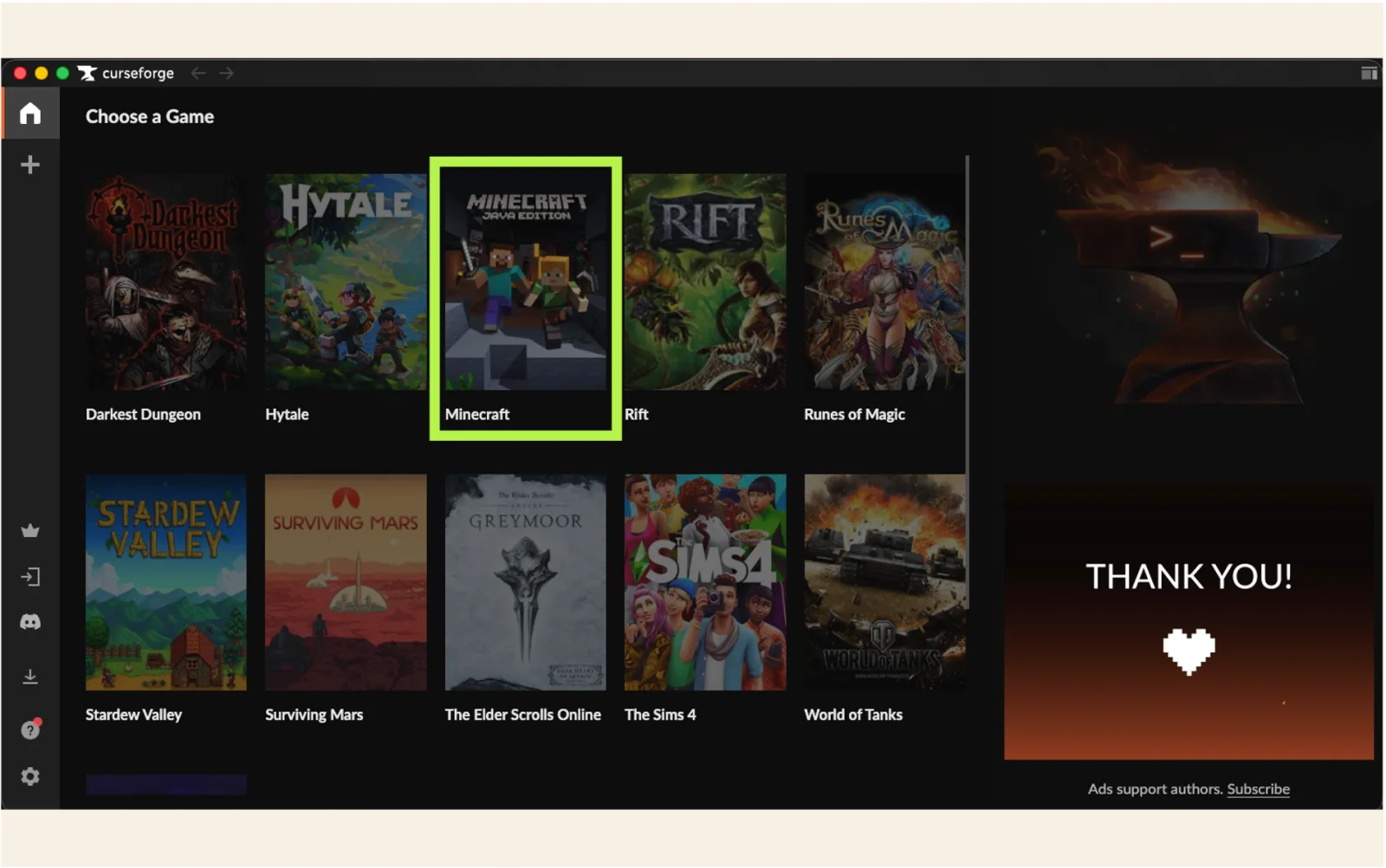
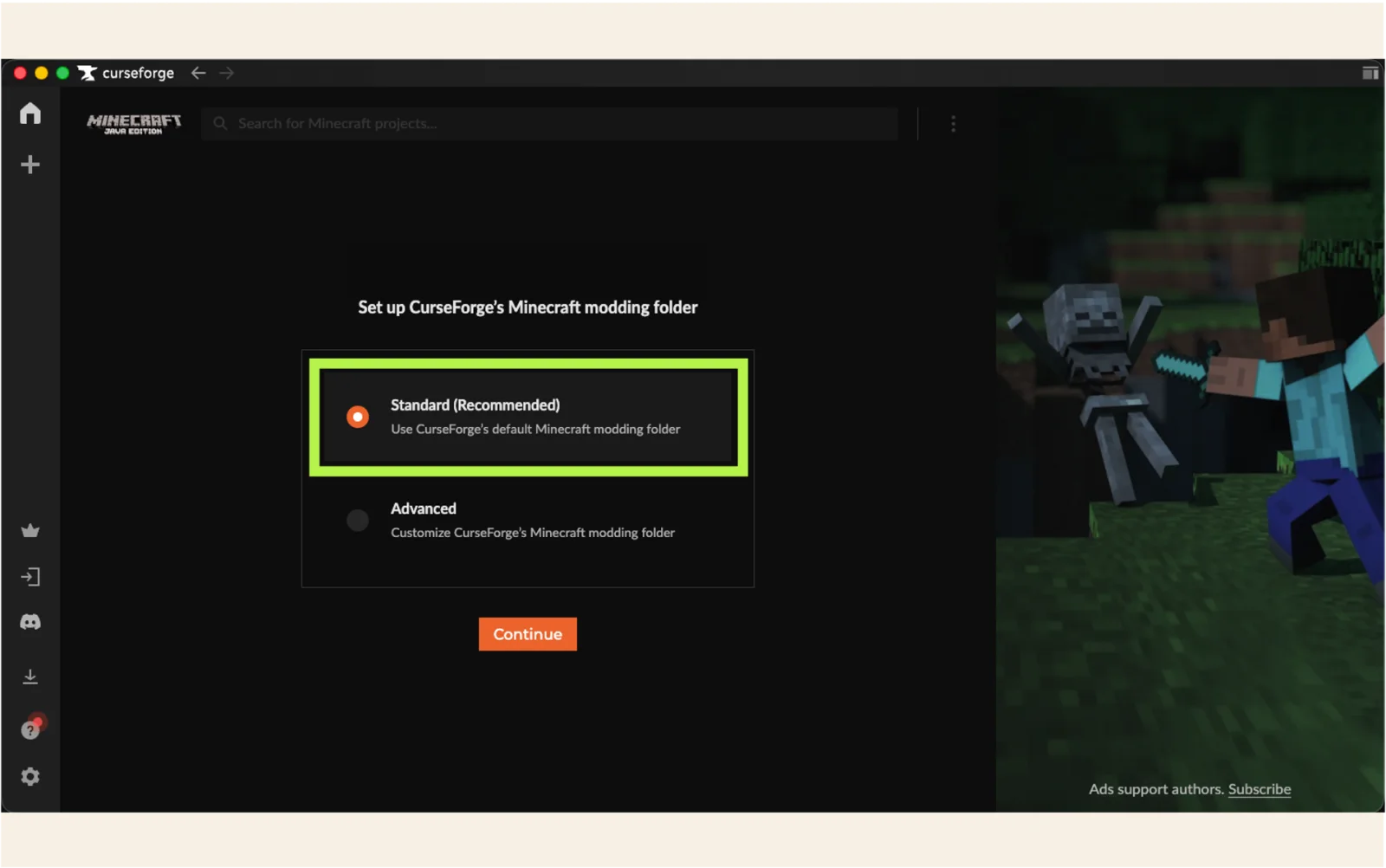
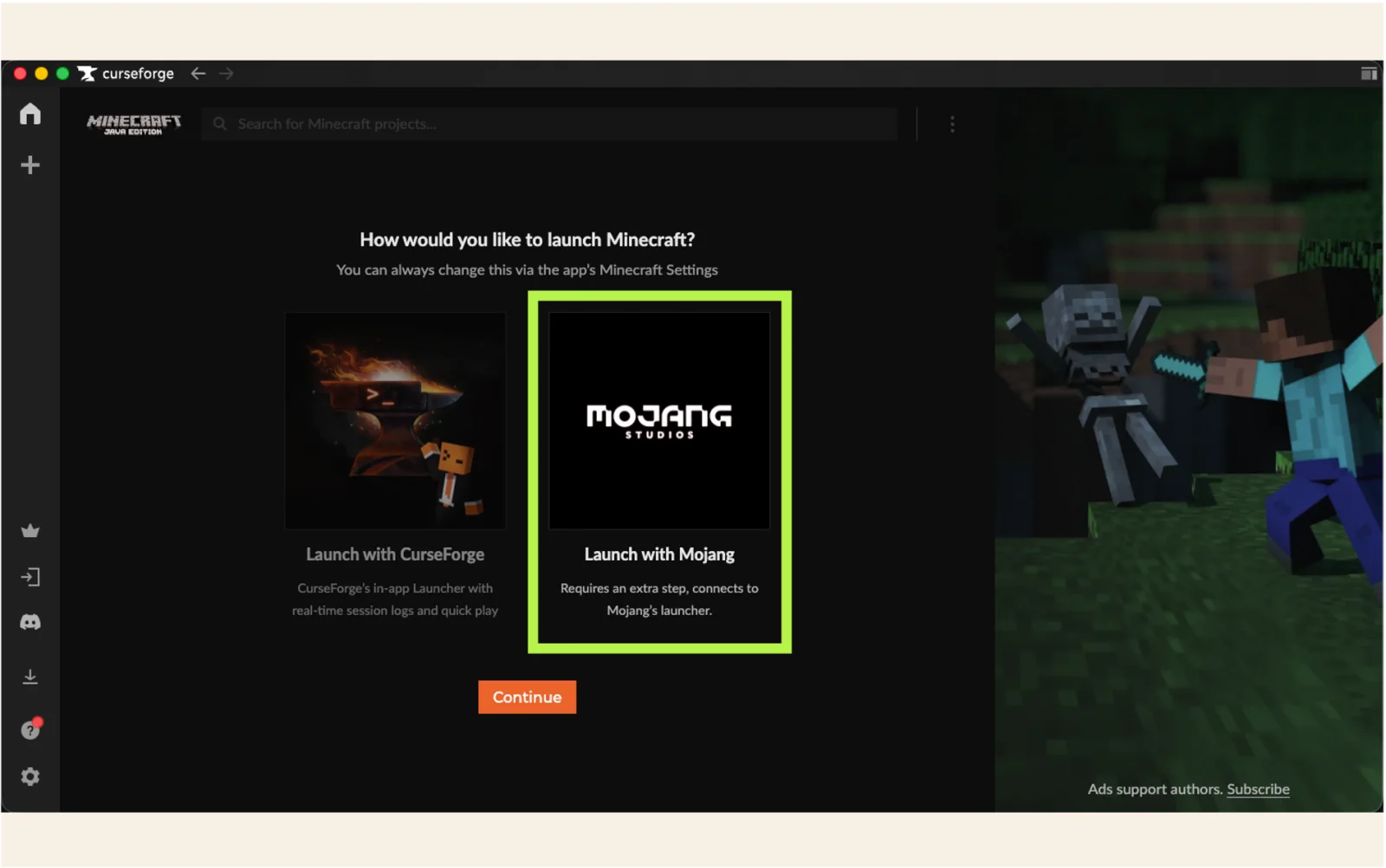
Choose Minecraft from the game list, keep Standard (Recommended), and use Launch with Mojang for the launcher connection.
03
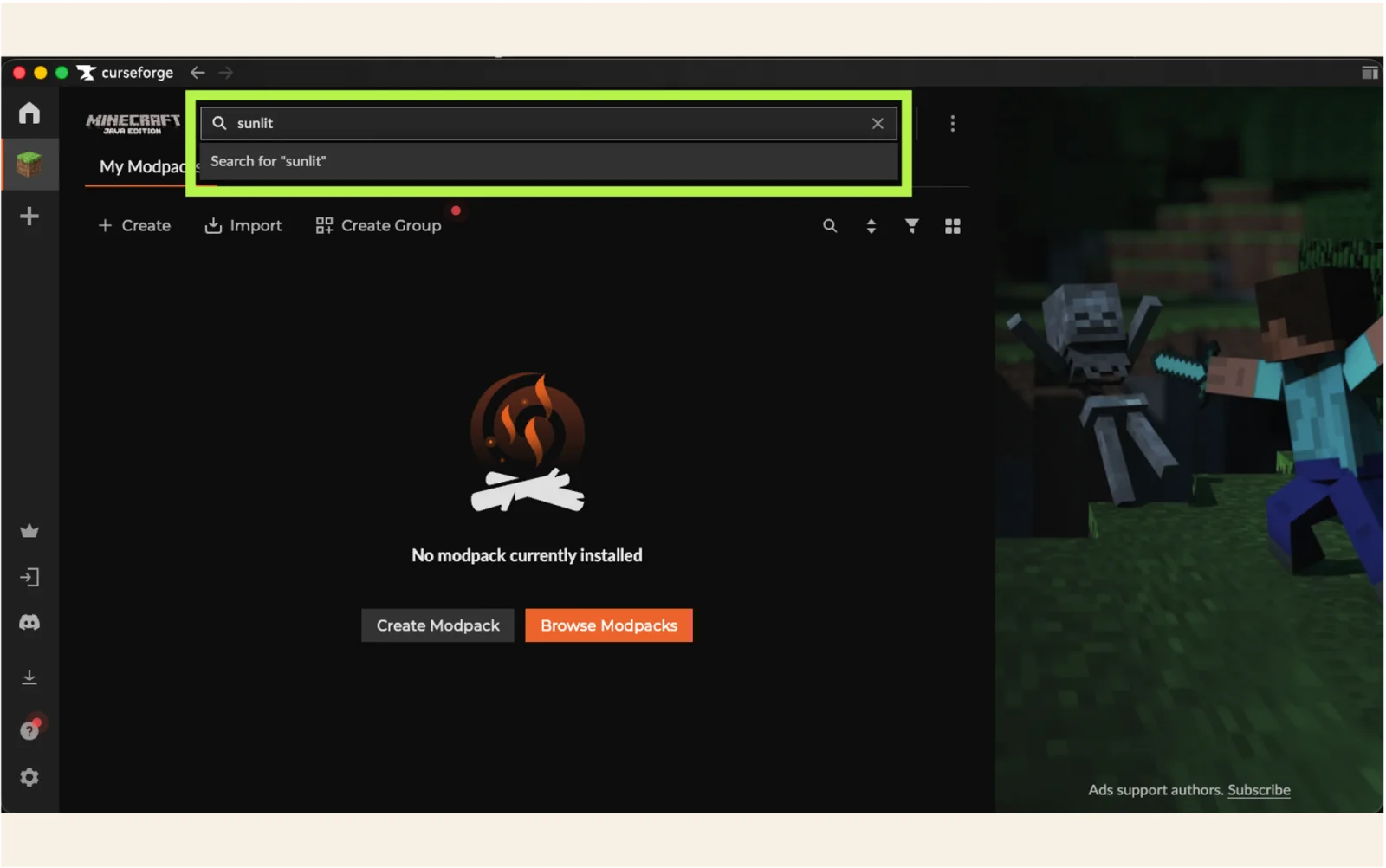
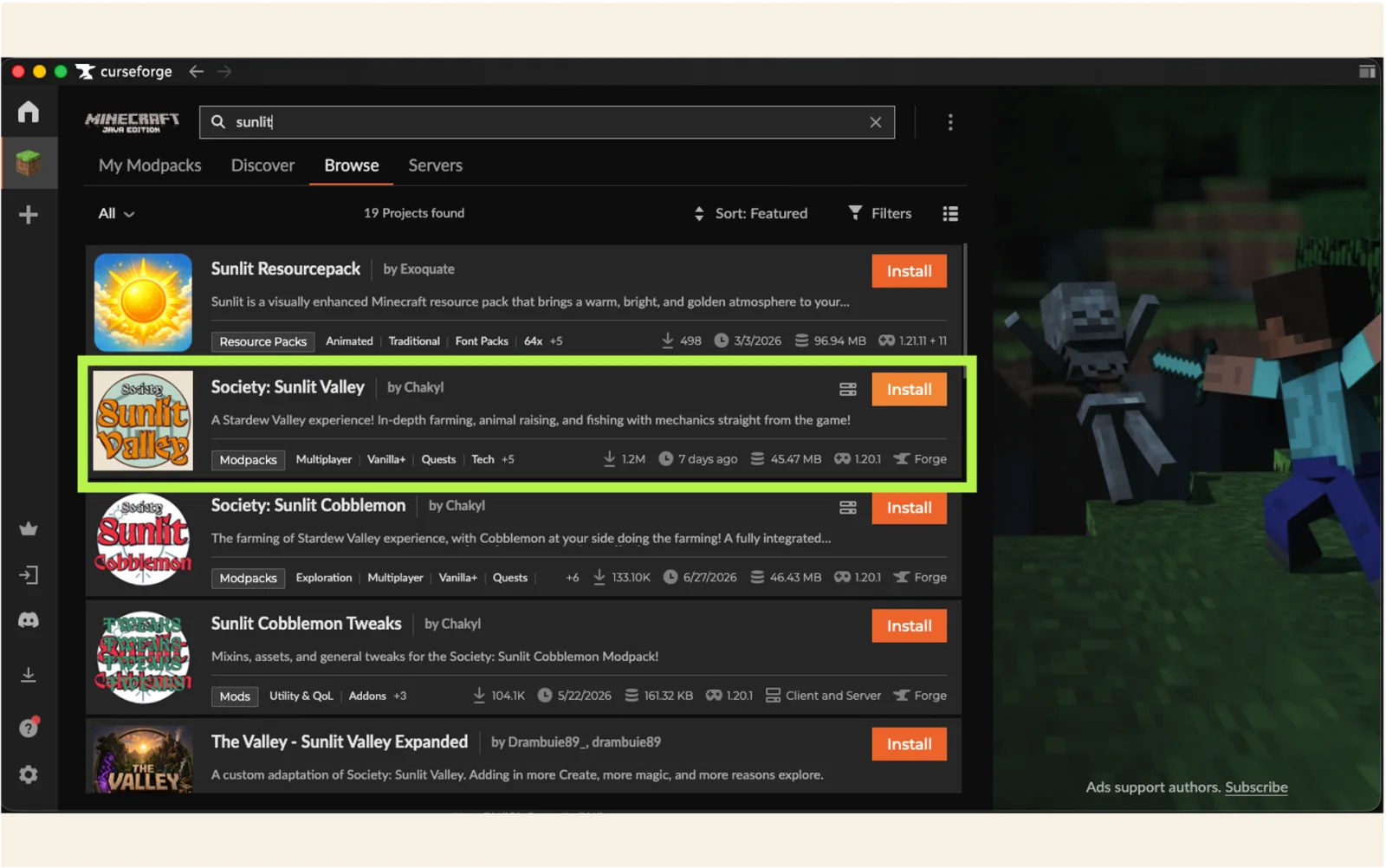
Search for Society: Sunlit Valley by Chakyl and install the server-matching 4.1.1 profile. The first download can take a while.
Recommended settings
The modpack is installed. These two optional settings improve memory headroom and remove an unnecessary overlay.
04
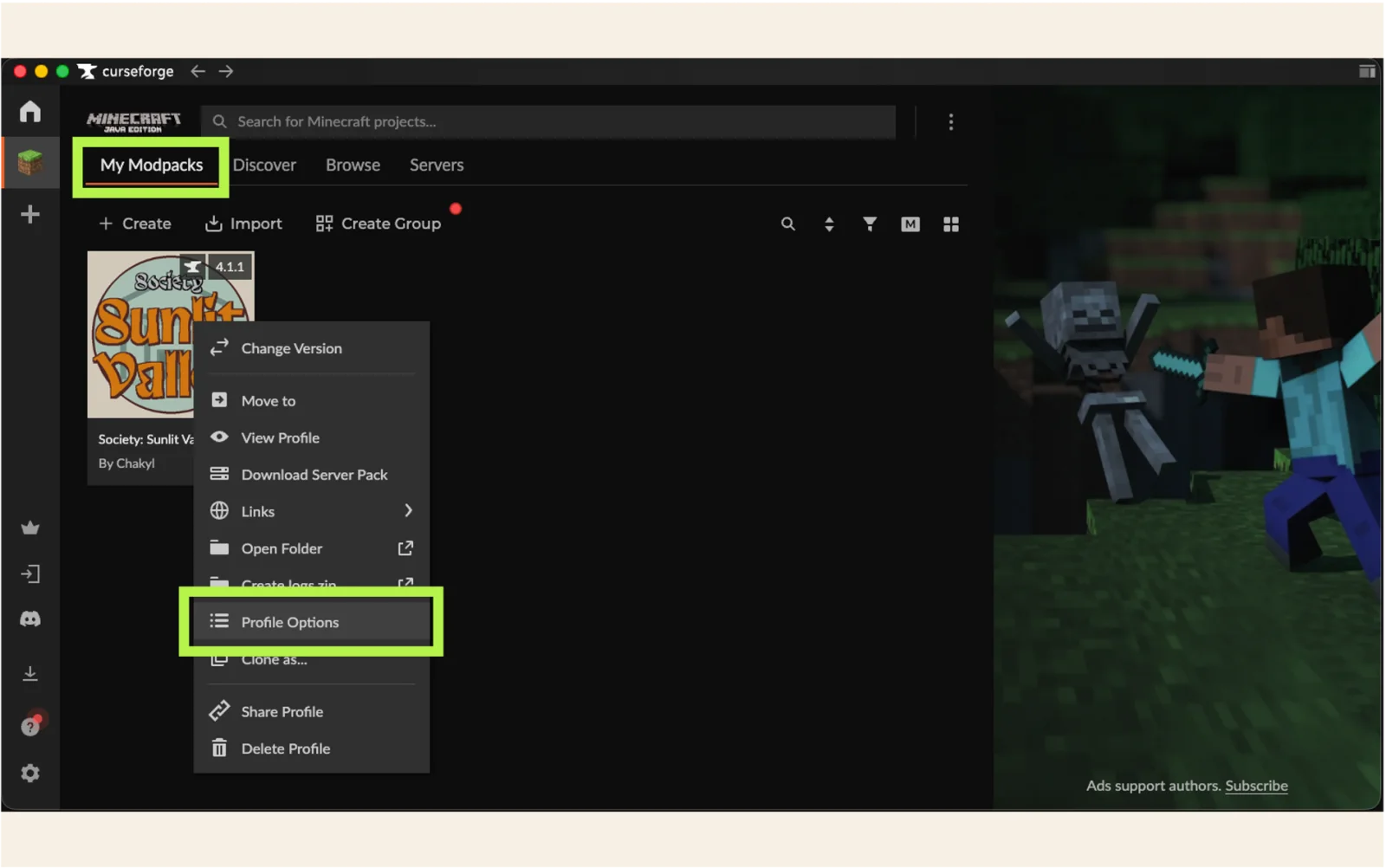
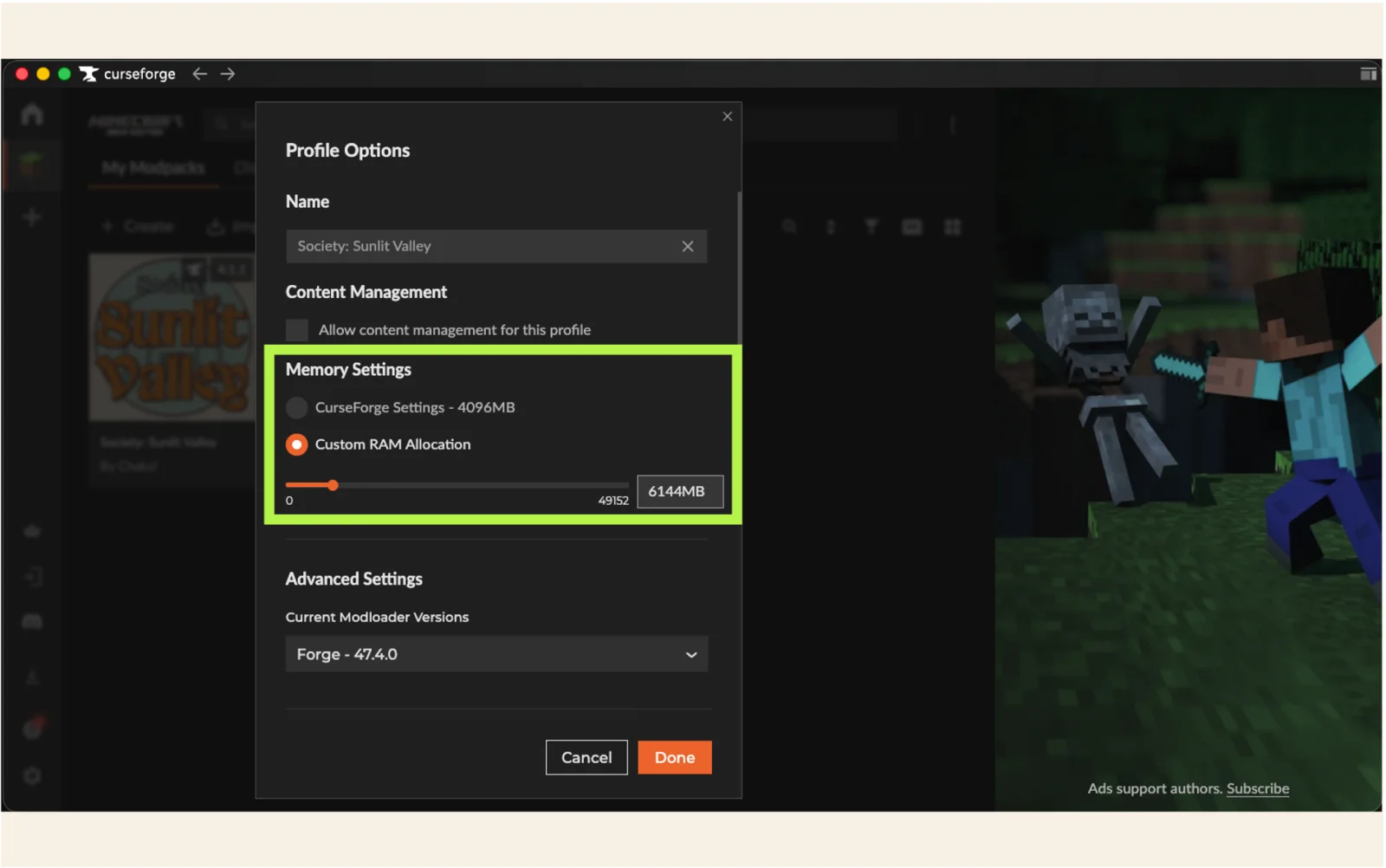
Open Profile Options from the Sunlit Valley profile, enable Custom RAM Allocation, set 6144 MB, and select Done.
05
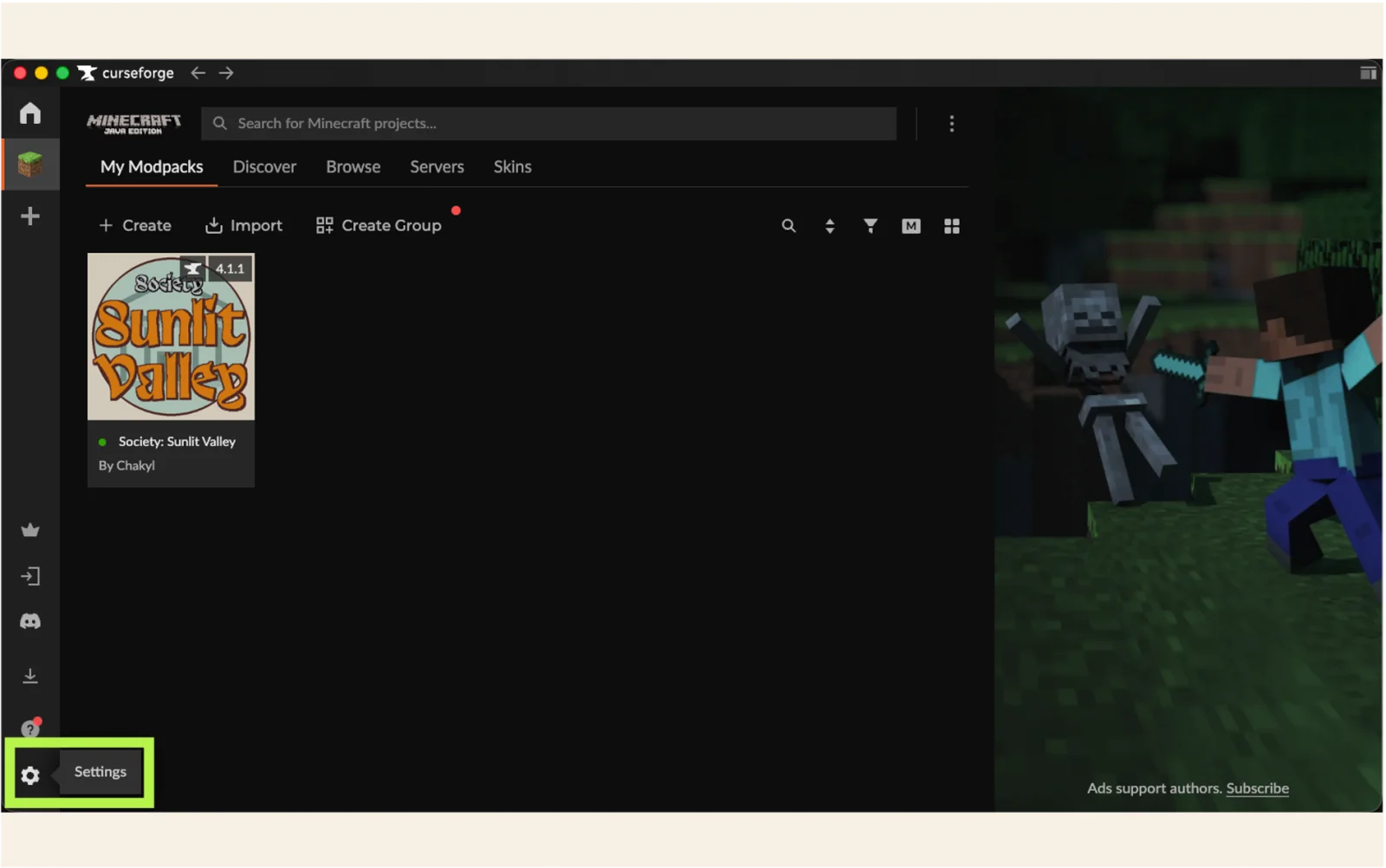
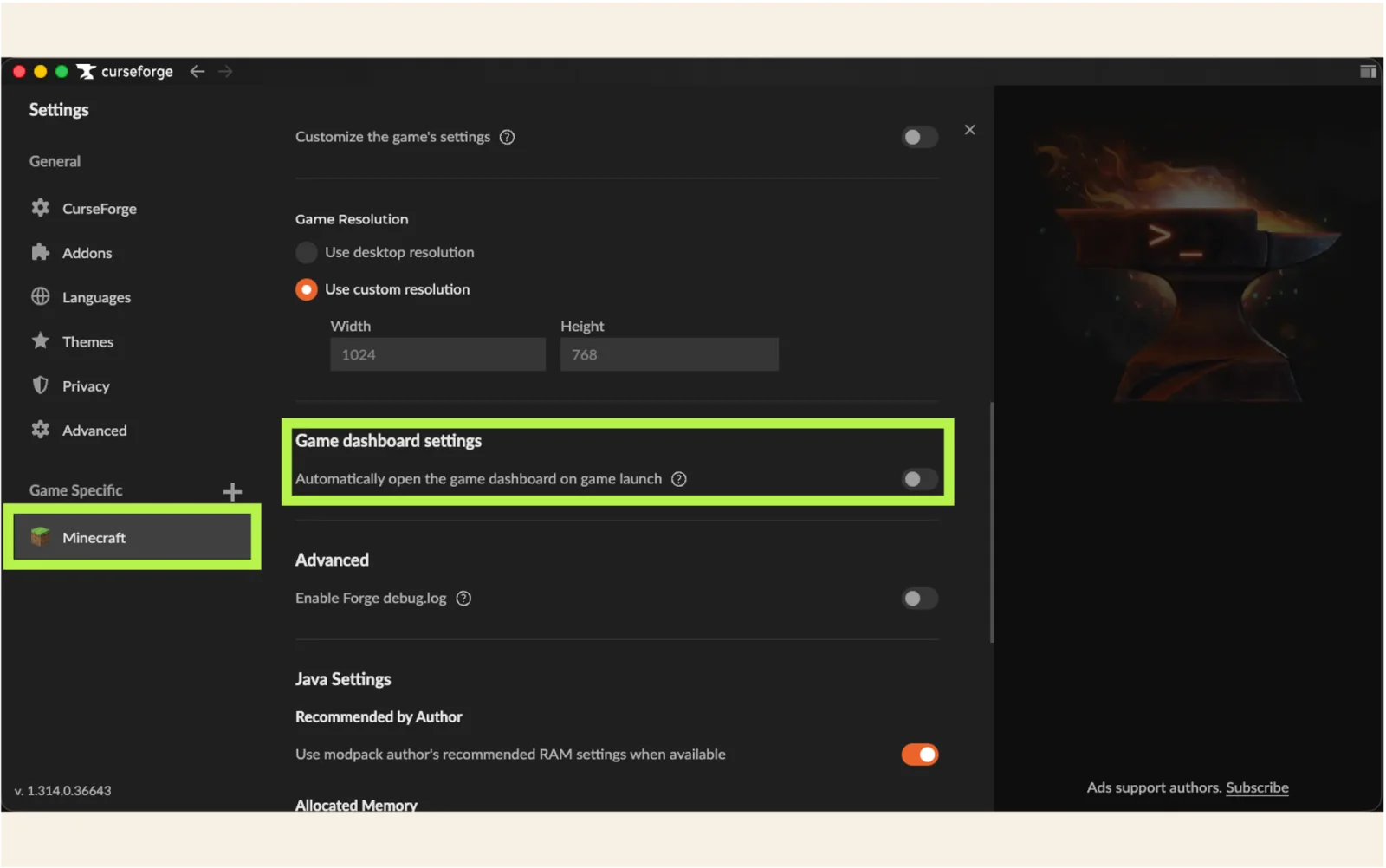
Open Settings, choose Minecraft under Game Specific, and turn off Game dashboard settings if you do not need the overlay.
06
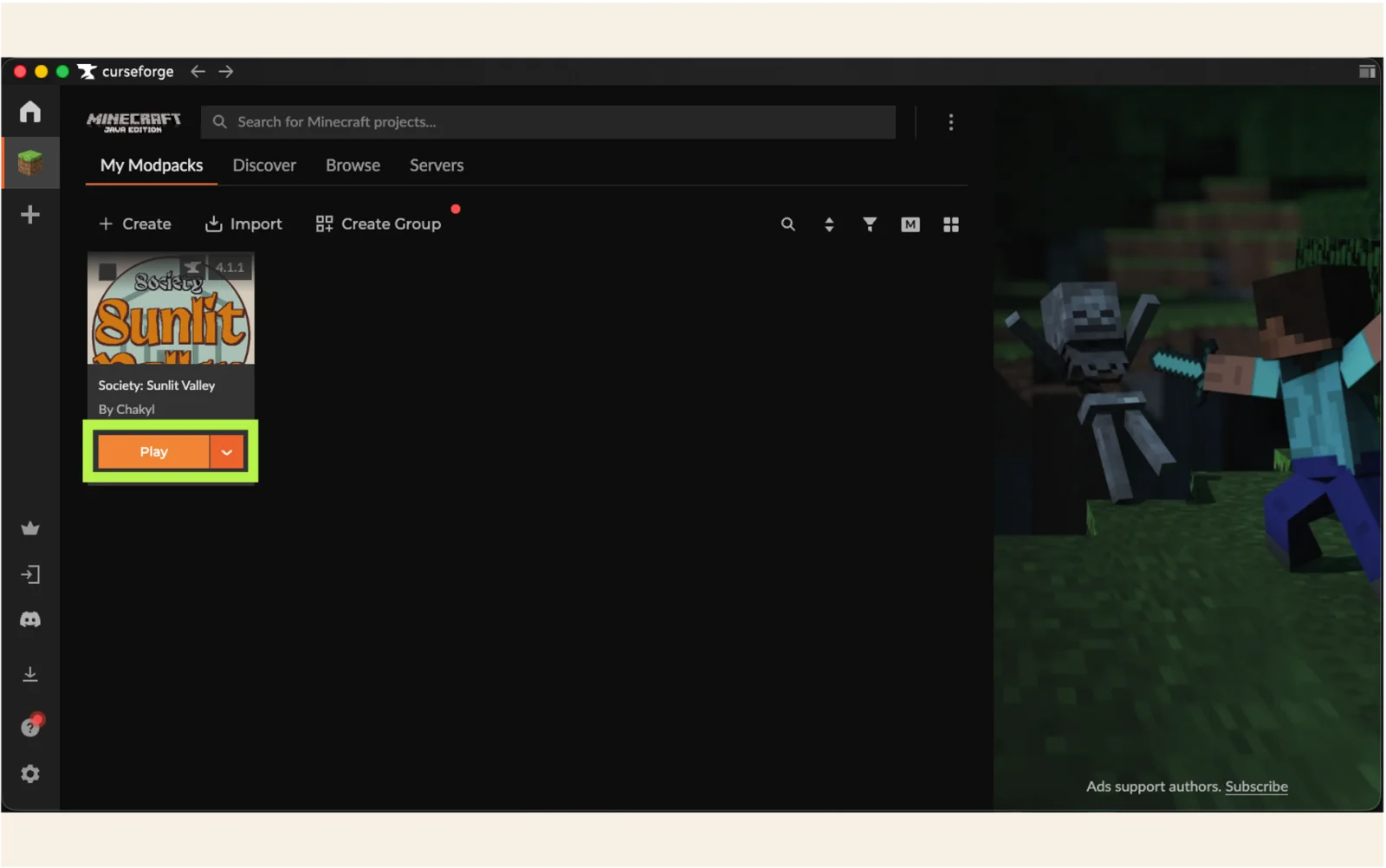
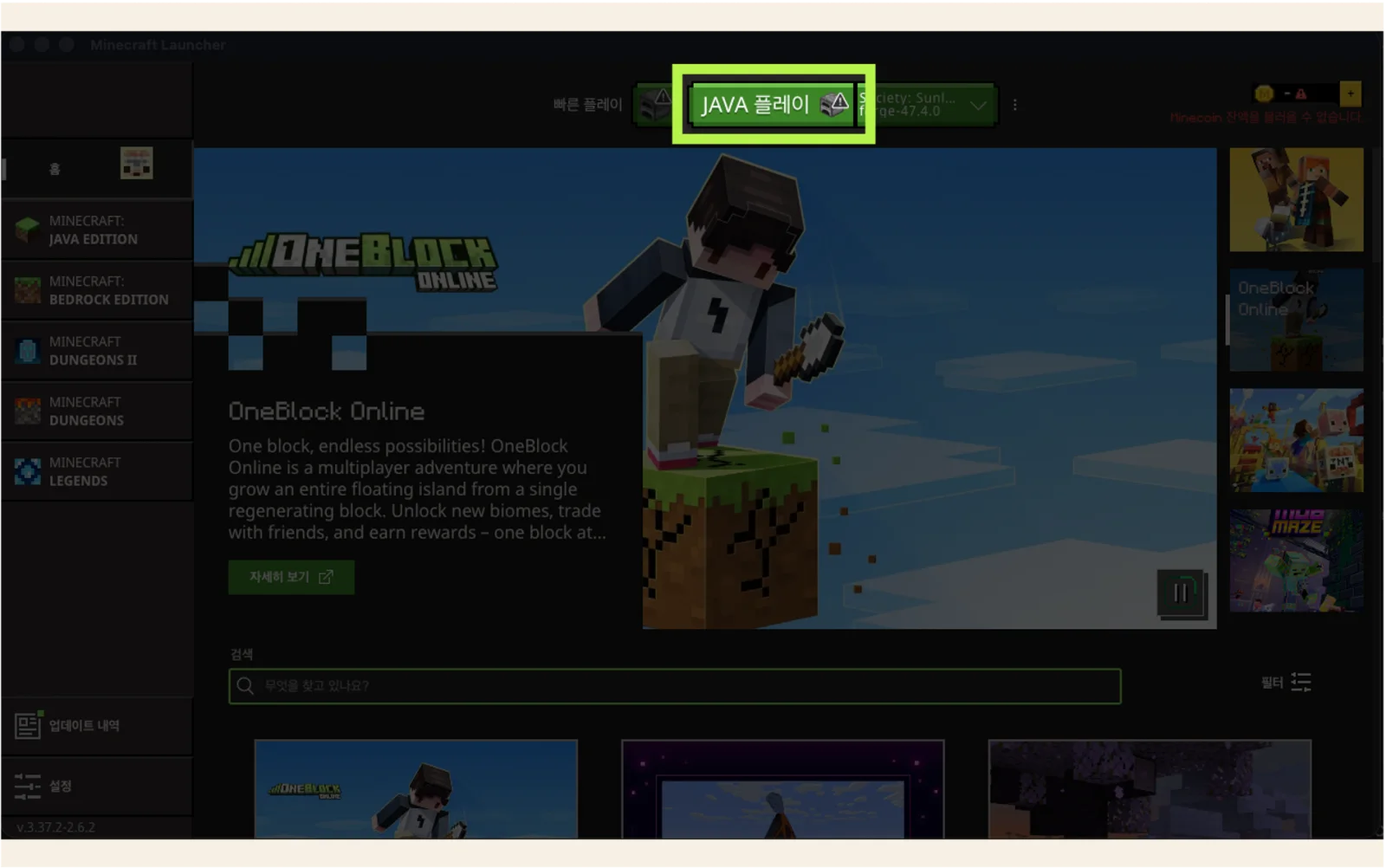
Select Play on the Sunlit Valley profile. When Minecraft Launcher opens, sign in and launch the Java profile.
02
Create an account with an invitation code. Registration immediately creates your whitelist request.
Confirm that the server is online on the home page before starting the game.
Open Multiplayer, choose Add Server, and enter mc.bethago.dev as the server address.
Launch Sunlit Valley 4.1.1 and connect. A different modpack or game version may be rejected.